Patient Consent Recording
How to enable, configure, and record patient consent before transcription sessions.
When enabled, Transcribe Health requires practitioners to obtain and record patient consent before starting a transcription session. This is a key HIPAA compliance requirement - patients must be informed that their visit will be recorded and transcribed using AI.
How consent enforcement works
- An organization admin enables the consent requirement in org settings
- When a practitioner starts a recording, a consent dialog appears before the session can begin
- The practitioner reads the consent script to the patient, then records the patient's response
- The consent method and status are permanently attached to the session record
Enabling consent for your organization
Navigate to Organization > General and scroll to the Patient Consent section.
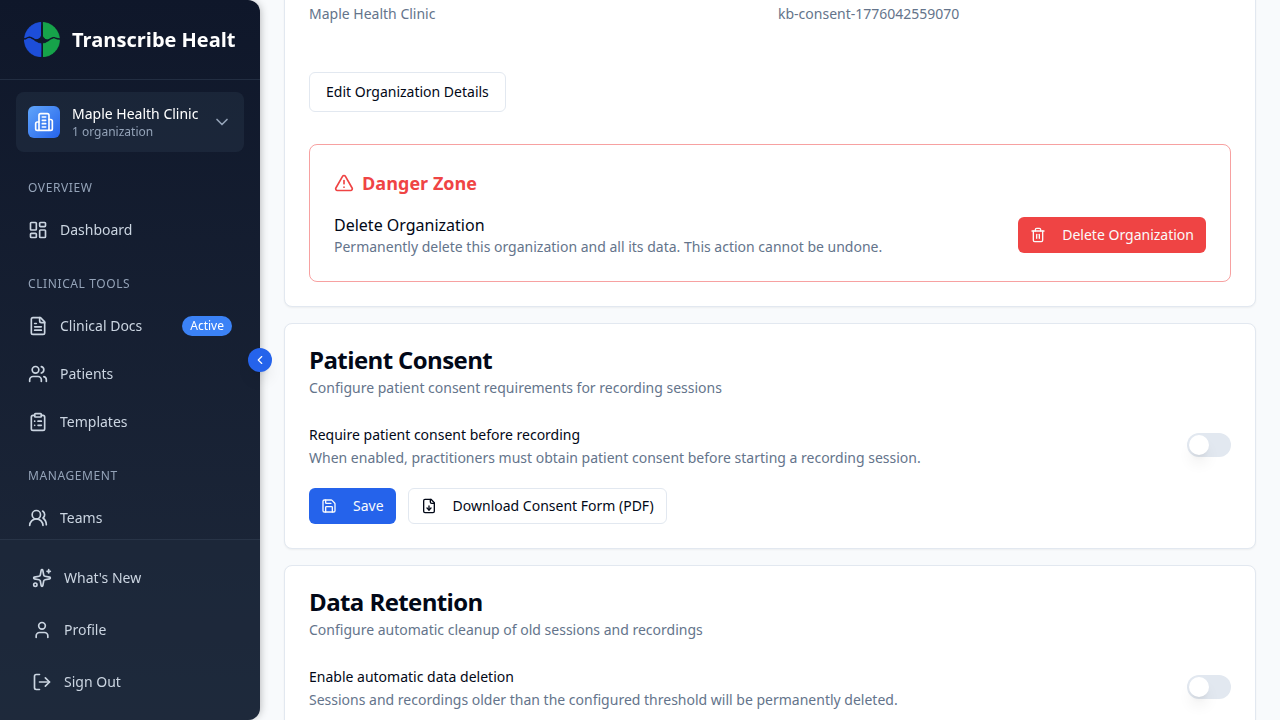
Toggle Require patient consent before recording to enable it. When enabled:
- Practitioners are prompted to obtain consent before every recording session
- The consent dialog includes a region-specific consent script
- Consent records are immutable - once recorded, they cannot be changed
You can also download a printable consent form (PDF) from this settings page, for practices that prefer paper-based consent.
The consent dialog
When a practitioner clicks Record in a session with consent enabled, a dialog appears with:
Consent script
A pre-written, region-specific script that explains to the patient:
- That their visit will be recorded
- That AI will be used to transcribe and process the recording
- How their data will be stored and protected
- Their rights regarding the recording
The script includes version information and key disclosures that must be communicated to the patient.
Consent method
The practitioner selects how consent was obtained:
| Method | When to use |
|---|---|
| Verbal | Patient verbally acknowledges consent after hearing the script |
| Written Form | Patient signs a printed consent form |
| Digital | Patient provides consent through a digital signature |
Recording the response
After obtaining consent, the practitioner clicks one of:
- Consent Obtained - Patient agreed, recording can begin
- Patient Declined - Patient refused consent, recording will not proceed
Consent records
Each consent record is permanently attached to the session and includes:
- Method - How consent was obtained (verbal, written, digital)
- Status - Whether consent was obtained or declined
- Timestamp - When consent was recorded
- Practitioner - Who recorded the consent
These records are immutable and visible in audit logs for compliance purposes.
Tips
- Read the consent script clearly and allow the patient to ask questions
- If the patient has any concerns, address them before recording consent
- Use the downloadable PDF form for practices that require a signed copy
- Consent is recorded per-session - a new consent is required for each visit
Related Articles
Start a Transcription Session
Learn how to create and run a real-time AI transcription session for clinical encounters.
FeaturesManage Document Templates
Create, edit, and organize document templates for generating clinical documents from transcriptions.
FeaturesUse Real-time Translation
Translate your live transcription into another language during a streaming session.
Can't find what you're looking for?
Our team is here to help. Reach out and we'll get back to you within 24 hours.
Contact Support